
How to Install the Movie Blast APK on Your Android Device

This article provides a comprehensive guide on how to download and install the Movie Blast APK, which offers live sports, news, and TV streaming features not available on the Google Play Store.
How to Install the Movie Blast APK on Your Android Device
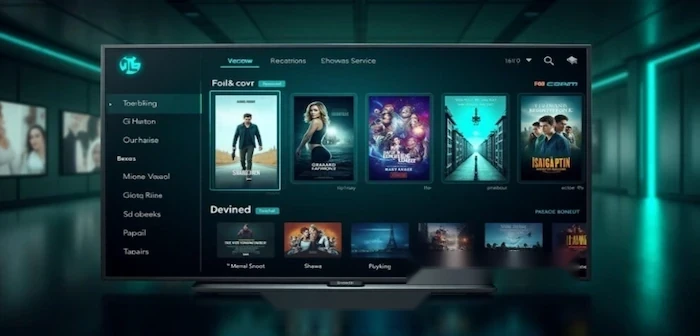
If you are looking for a powerful app that offers live streaming of sports, news, and television shows, look no further than Movie Blast. This application has gained popularity for its diverse content options. However, it is important to note that Movie Blast is not available on the Google Play Store, which means you will need to install it manually using its APK file. In this guide, we will walk you through the steps necessary to successfully install the Movie Blast APK on your Android device.
Steps to Install the APK
- Download the APK File: First, you need to obtain the APK file for Movie Blast. You can download it from the official website or a trusted source. Ensure that you are using a reliable site to avoid any security risks.
- Locate the Downloaded File: Once the download is complete, navigate to your device storage, usually found in the Downloads folder.
- Install the APK: Tap on the APK file to start the installation process. If your device shows a warning, do not worry. You will need to allow installations from unknown sources. To do this, go to Settings → Security/Privacy and enable Install from Unknown Sources. After the installation is complete, it is advisable to turn off this option again for security reasons.
- Follow On-Screen Instructions: Proceed with the installation by following the prompts displayed on your screen. Finally, once the installation is done, click on Open to launch the app.
Security Warnings
When downloading apps like Movie Blast from outside the Google Play Store, it is crucial to prioritize your device's security. Only download APK files from official or trusted sources to minimize risks. Before installing any file, consider running an antivirus scan to ensure it is safe. Furthermore, after you have installed the app, remember to disable the installation from unknown sources to protect your device from potential threats.
Frequently Asked Questions (FAQ)
Do I need to register to use Movie Blast?
No, you can use Movie Blast without registering. The app is designed to provide easy access without the need for user accounts.
What should I do if the app is lagging?
If the app experiences lag, try closing other applications running in the background. Additionally, check your internet connection, as a slow network can cause buffering.
Is Movie Blast compatible with tablets?
Yes, Movie Blast is compatible with tablets as well as smartphones, making it a versatile choice for streaming.
Disclaimer
Please be aware that Movie Blast is a third-party aggregation tool. The content available through this application is owned by its respective creators, and the use of this app is at your own risk. It is important to understand the potential legal implications and the responsibility that comes with using such applications.